Let’s be honest: Does "creating content" feel like a full-time job you didn't sign up for?
In 2024, I hit a massive wall. I was waking up every morning, scrolling through Instagram for "inspiration," stressing about what to post, shooting a video, hating it, re-shooting it, and finally posting at 8 PM completely exhausted. I was working for the algorithm, not the other way around.
If you want to survive as a creator in 2026, you cannot operate like this. You need a solid Daily Content Workflow that works faster than you do.
I switched to a streamlined Daily Content Workflow that allows me to plan an entire week of content in just 20 minutes. I’m not smarter or more creative—I just stopped trying to do everything manually.
Why You Need a Daily Content Workflow
This workflow separates the "thinking" from the "doing." By using AI tools to handle the heavy lifting, you stay in the creative flow state without interruption. Implementing a Daily Content Workflow is the only way to scale without burnout.
Minute 0-5: The "Idea Dump" (No Judgment)
The hardest part is starting. Most people stare at a blank screen and wait for divine inspiration. That is a recipe for writer's block.
Open the Content Ideas Generator. Enter your niche (e.g., "Digital Marketing" or "Home Baking"). Hit generate.
Pro Tip: Don't filter yourself yet. If the tool generates 10 ideas, pick the top 3 that excite you immediately. Trust your gut.
Minute 5-15: The "Calendar Slotting" (Strategy)
Now that you have ideas, you need to give them a home. If you don't schedule them, they won't happen. A crucial part of your Daily Content Workflow is assigning dates immediately.
Open the Content Calendar Generator. Input your goal for the week (e.g., "Drive sales" or "Get new followers").
Pro Tip: Look for the "Format Suggestions." The tool might suggest a Reel for Tuesday (viral reach) and a Carousel for Thursday (education). Follow this balance to avoid boring your audience.
Minute 15-20: The "Structure" (Outlining)
Don't write the full script yet. Just outline the key points so you aren't rambling when you turn on the camera. This is where most people get stuck—they try to write the perfect sentence.
For each of your scheduled posts, write down 3 bullet points:
- The Hook: The first sentence (use our Hook Generator if stuck).
- The Value: The one thing the viewer will learn.
- The CTA: What you want them to do next.
A Real-Life Example: The "Weekend Baker"
To show you how fast this Daily Content Workflow is, let's pretend I run a baking account. I have zero ideas and 20 minutes.
- Tool 1 (Ideas): I type "Sourdough Bread" into the Ideas Generator. It gives me: "3 Common Sourdough Mistakes" and "My Morning Routine."
- Tool 2 (Calendar): I plug these into the Calendar Generator. It tells me to post the "Mistakes" as a Carousel on Monday and the "Routine" as a Reel on Wednesday.
- Outline: I spend 3 minutes jotting down:
Monday Hook: "Is your bread flat? Here is why."
Value: Temperature, Hydration, Flour type.
CTA: Save this for your next bake.
Total time elapsed: 8 minutes. I have my content plan for the week.
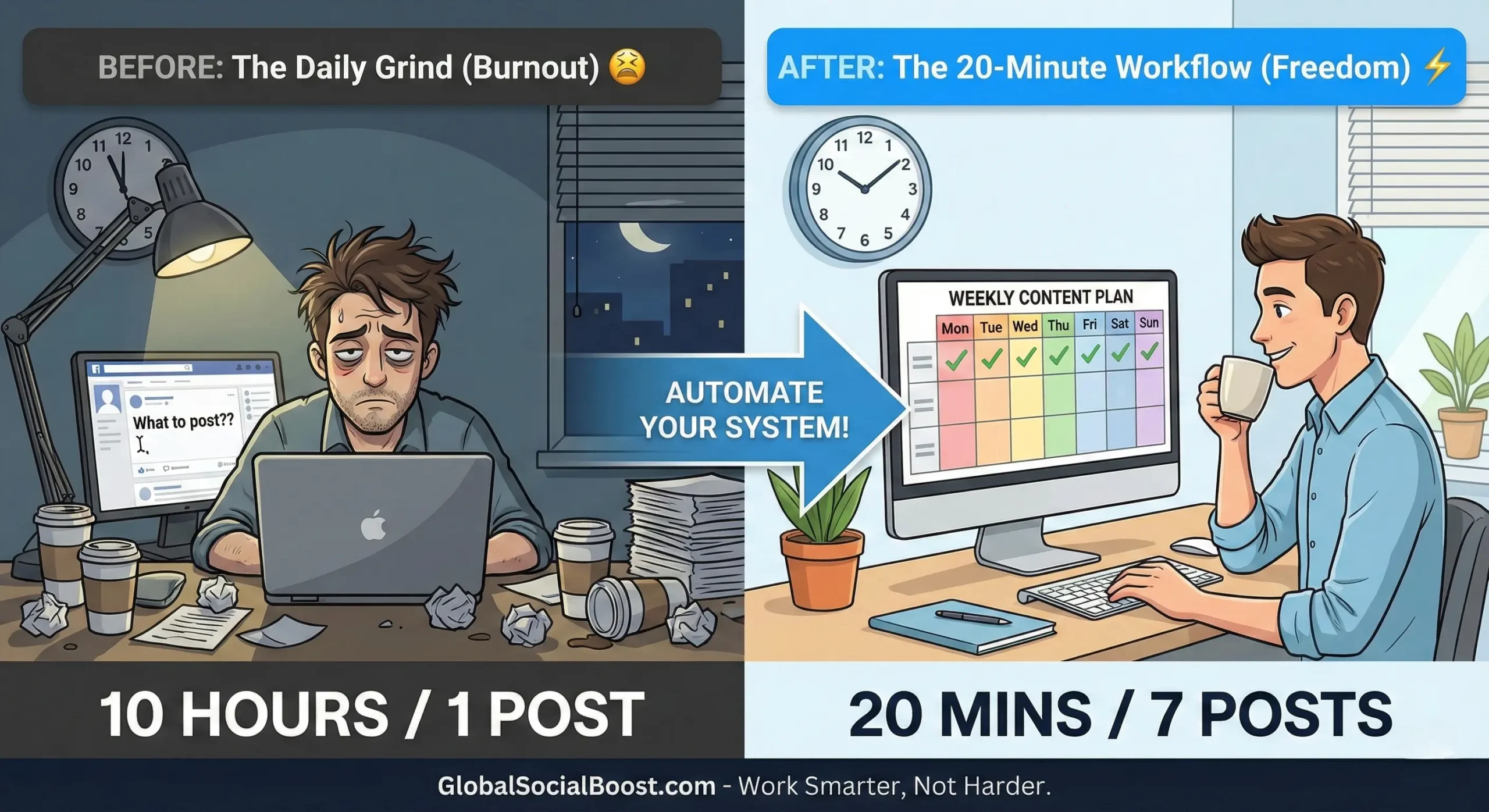
(Stop working harder. Start working systematically.)
Why This Daily Content Workflow Works in 2026
The quantity of content required to grow is increasing. You cannot keep up with manual labor. Tools like our generators are not "cheating"—they are the standard for professional creators.
When you automate the "what to post" and "when to post" using a Daily Content Workflow, you have more energy for the "how to create," which is where your personality shines. You stop being a scheduler and start being a creator again.
🗓️ Start My 20-Minute WorkflowFinal Thoughts
You don't need more time. You need a better process. Implement this Daily Content Workflow tomorrow morning, and watch how much lighter your day feels.