Here is the biggest lie you are told about social media: "You need to be everywhere."
Gurus tell you to post original content on YouTube, Instagram, TikTok, LinkedIn, and X (Twitter) every single day. They say if you miss a day, you are irrelevant. But if you try to create unique content for all of these platforms from scratch, you will burn out in two weeks. Guaranteed.
The smartest creators in 2026—the ones who seem to be everywhere at once—are not working harder than you. They are just using a better Content Repurposing Strategy.
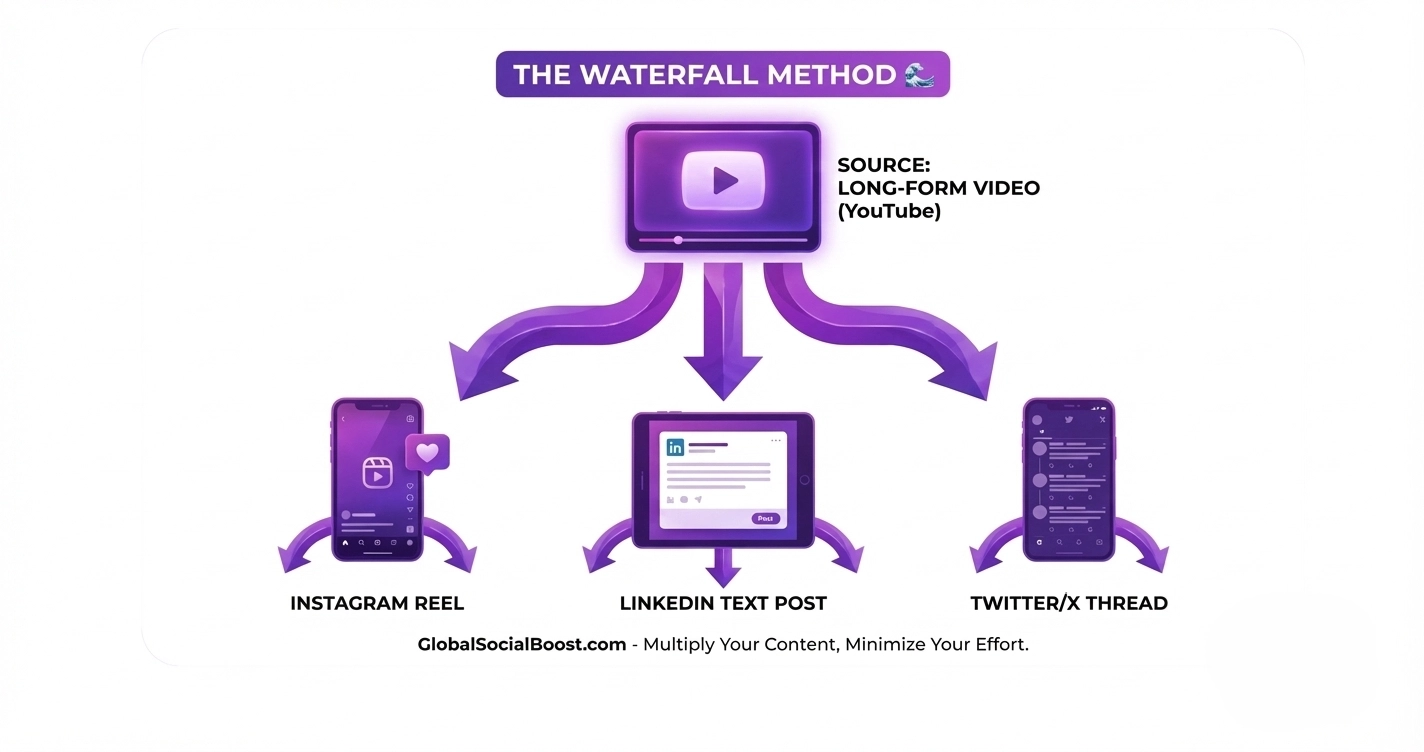
They create one core piece of content and slice it up like a Thanksgiving turkey to feed every other platform. This is called the "Waterfall Method," and today I will show you how to automate it.
The Waterfall: How to Turn 1 Video into 10 Posts
To make this Content Repurposing Strategy work, you need a "Source." Usually, this is a long-form YouTube video, a Podcast, or a detailed Blog Post.
Step 1: The Source (YouTube)
You film a 10-minute video: "5 Tips to Lose Weight." You upload it to YouTube.
The Tool: Use the YouTube Description Generator to summarize your video into key bullet points. Copy these points—they are the ingredients for the rest of your meals.
Step 2: The Micro-Video (Reels/TikTok)
Don't film a new dance for TikTok. Take the best 30-second clip from your YouTube video (the "Ah-ha!" moment).
The Tool: That clip needs a new title to work on short-form. According to HubSpot, short-form video has the highest ROI of any social media strategy, but only if the hook is strong. Use the Viral Hook Generator to give your clip a flashy text overlay like "The #1 Weight Loss Mistake."
Step 3: The Text Slide (Instagram Carousel)
Take those bullet points from Step 1. You don't need video for this. Turn them into a "Swipeable" Carousel.
The Tool: Paste your bullet points into the Instagram Caption Generator. Ask it to "Write an educational caption." Now you have the text for your slides and the caption to go with it.
Step 4: The Discussion (LinkedIn/Twitter)
Take the most controversial point from your video. Post it as a text-only update to start a debate.
The Tool: Use the Content Ideas Generator to see what angles are trending, and frame your text to match the current conversation.
The Golden Rule of Context
A successful Content Repurposing Strategy is not just "Copy and Paste." Each platform has a different "language."
- LinkedIn likes professional insights and "lessons learned."
- TikTok likes raw, unpolished, and fast-paced clips.
- Instagram likes aesthetic visuals and carousels.
If you post a raw TikTok with a watermark directly to LinkedIn, it looks lazy. Use our tools to adjust the *tone* of your content for each platform while keeping the core message the same.
(Work once. Distribute forever.)
Real-World Example: The Fitness Coach
Let's look at how this saves time in the real world.
- Monday: Coach Sarah films one 15-minute breakdown of "How to Squat."
- Tuesday: She posts the full video on YouTube.
- Wednesday: She cuts a 45-second clip of the "Knee Cave Mistake" for Reels.
- Thursday: She takes the "3 Cues for Squatting" from the video and makes a Twitter thread.
- Friday: She posts a LinkedIn story about "Why I changed my coaching philosophy."
She filmed once but remained active for five days.
Why This Matters for SEO
Here is the hidden benefit: Backlinks.
When you post the clip on TikTok, put "Full video link in bio." When you post on LinkedIn, link to the YouTube video in the comments. You are creating a web of traffic that all points back to your main content, signalling to Google that your content is authoritative.
💧 Start the Waterfall: Summarize a VideoFinal Thoughts
Your time is your most valuable asset. Stop wasting it by starting from scratch every morning. Implement this Content Repurposing Strategy in 2026, and you will finally have the time to engage with your community instead of just posting at them.